

Content

Chicken Royal – Overview of a Fun Game for Users from the UK
Chicken Royale is not simply another casual release but a curious experiment in how humour and competitiveness can coexist within one digital arena. The project avoids unnecessary complexity, relying instead on direct interaction and an atmosphere where every round feels unpredictable. For UK users, it represents an unusual alternative to conventional multiplayer formats, offering both accessibility and a distinctive character that sets it apart from mainstream titles.
| 🎯 Name | Chicken Royal |
| 🎮 Type | Arcade |
| 🕹️ Modes | Solo, Battle |
| 🐔 Chars | Chickens etc. |
| 💻 Platforms | Android/iOS/PC |
| 🏗️ Dev | DUCKY / Apel |
| 📅 Release | 2023 |
| 🌍 Region | UK, Global |
What Is Chicken Royal
Royal Chicken is an arcade challenge built around a deceptively simple task: guiding a chicken through a sequence of hazardous roads. Success depends on how many crossings can be completed without falling victim to cars, trucks, or other obstacles.
Competition emerges through scores measured by distance, points, or sheer survival time, while occasional bonuses extend the run and give the fragile traveller a chance to endure longer. Control is deliberately straightforward—taps, swipes, or keyboard inputs—but each move demands sharp anticipation of traffic patterns. What seems playful quickly becomes an exercise in precision, timing, and calm persistence.
The title was introduced by DUCKY LTD on Android devices and later adapted for iOS under the direction of William Apelgren. The iOS release arrived in August 2023, marking the launch of version 2 with improved stability and bug fixes. These parallel developments highlight the game’s unusual authorship—split between a casual game studio and an independent developer—yet both branches remained committed to the same minimalist and highly competitive formula.
Our data show that Melon Sandbox was recently released by DUCKY LTD, giving players the ability to build scenes and combine a range of objects. It provides creative freedom within a minimalist setting, where simple elements turn into unpredictable structures.
Game Mechanics of Chicken Royal
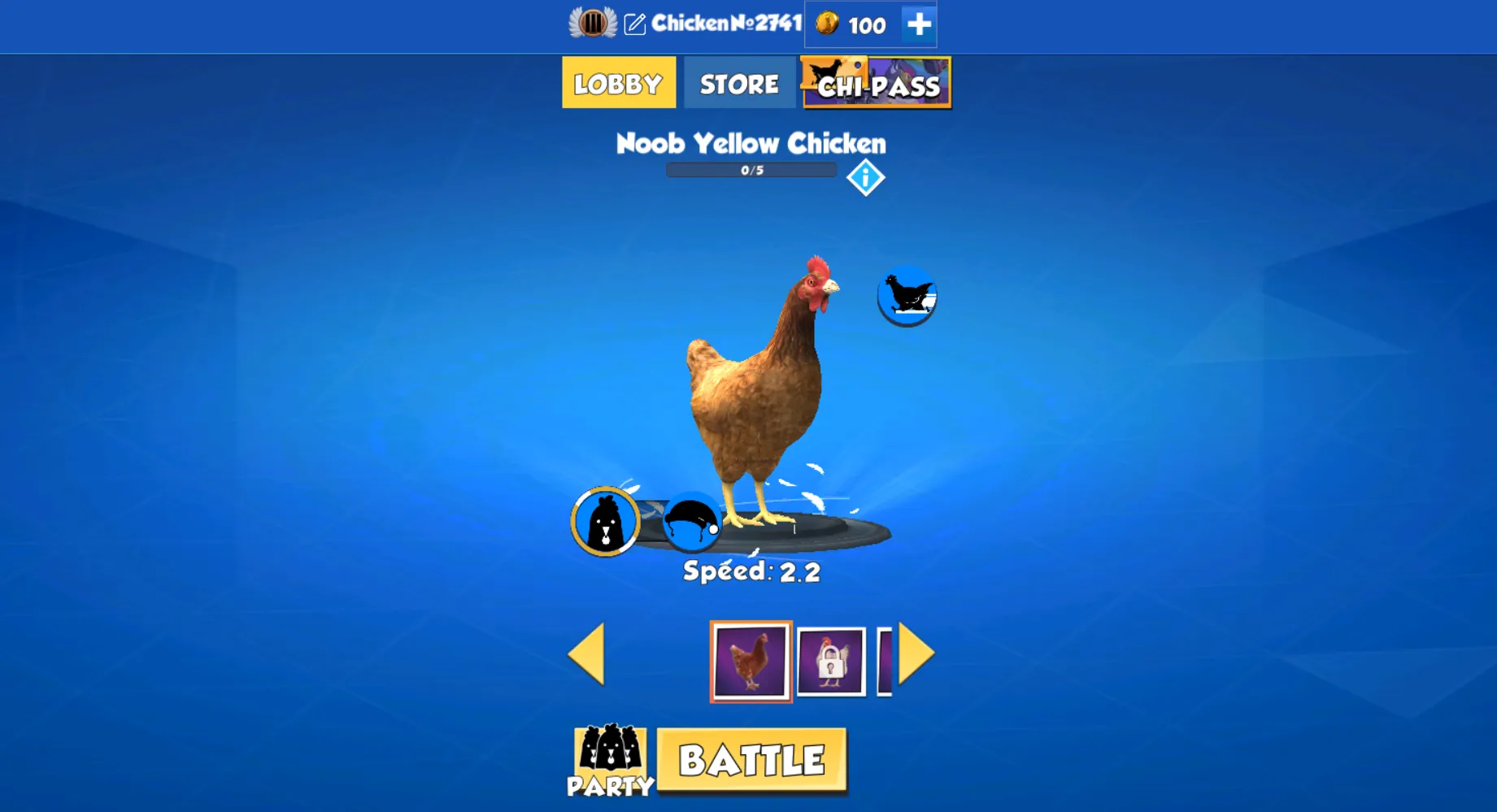
Beneath its playful exterior, Chicken Royale conceals a structure more versatile than the premise implies. The player is not restricted to the familiar chicken; a gallery of alternative characters expands the field, each with its own visual identity. This choice does not alter the rules but subtly reshapes the atmosphere, turning repetition into variation and inviting players to impose their own style upon an otherwise unforgiving design.
Equally telling is the presence of group play. What begins as a solitary negotiation with moving traffic becomes, in multiplayer, a contest layered with rivalry and shared spectacle. Coordination, rivalry, and occasional chaos redefine the pace, transforming a personal exercise in timing into a collective stage where endurance and error carry equal weight.
Why Choose Royal Chicken
The Chicken Royal game has several qualities that make it stand out. The game is simple, yet it does not feel shallow. Each round is short, but mistakes always have weight.
- Clear rules – the mechanics are easy to learn, so anyone can start quickly.
- Hidden depth – the humour hides a game that demands focus and accuracy.
- Platform choice – it works on mobile and PC, giving the same challenge everywhere.
- Short sessions – one run lasts only a few moments, but the pressure is constant.
- Light look, strict core – bright visuals contrast with harsh rules.
- UK audience – players in the United Kingdom already value its mix of fun and difficulty.
Choosing Royal Chicken is not just about passing the time. It is about testing focus and discipline in a setting that looks simply but feels demanding.
Availability of Chicken Royal Game on PC
Chicken Royal has expanded beyond the limits of mobile devices, offering players the option to experience it directly in their web browser. For those who favour the Chicken Royale game PC version feels less like a passing diversion and more like a structured encounter with the game’s demanding rhythm.
How to Play on PC
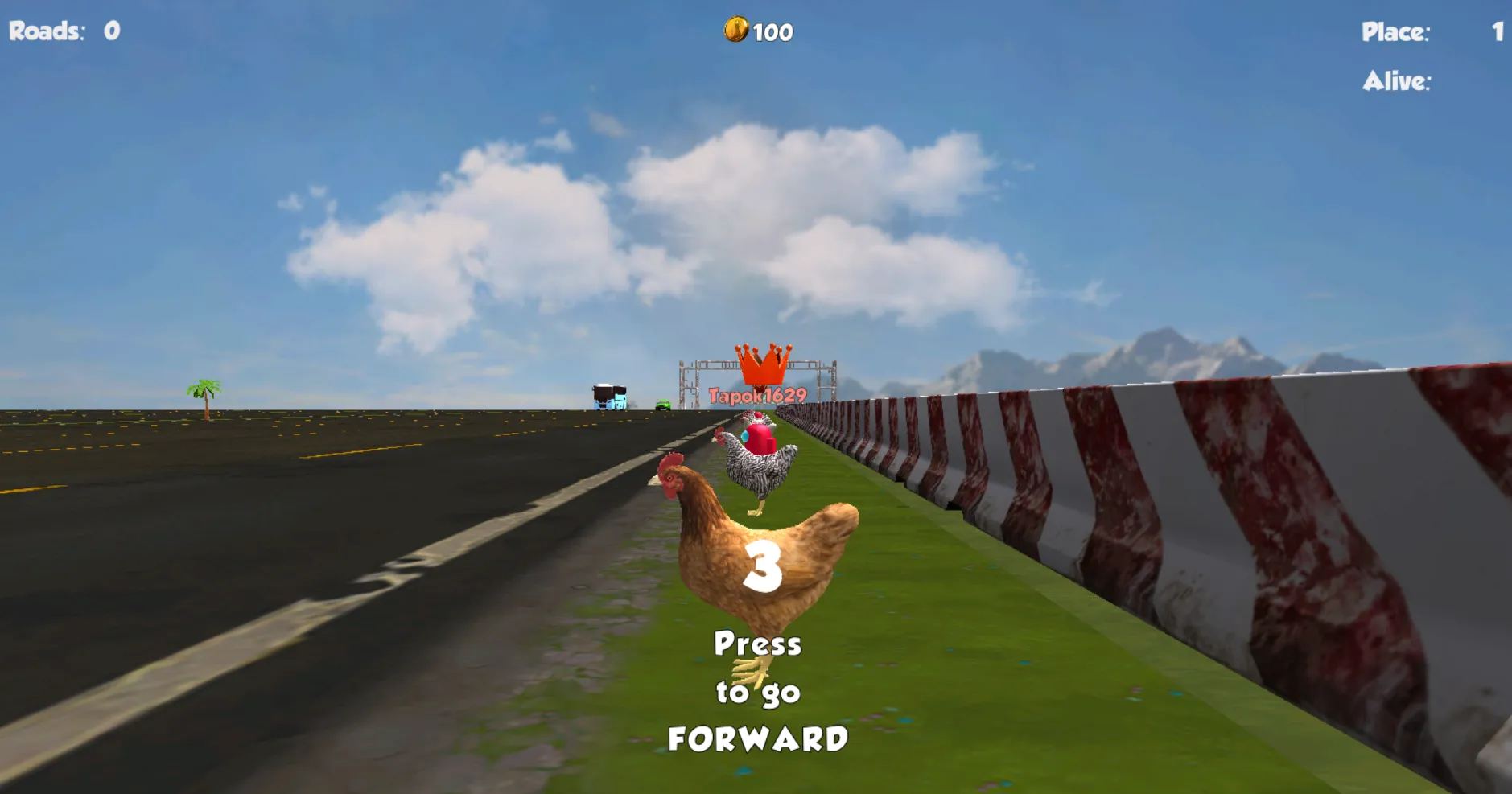
Accessing the browser edition is uncomplicated and requires no additional software. A few steps are sufficient to begin:
- Open a modern web browser such as Chrome, Firefox, or Edge on your PC.
- Enter the official website or a trusted portal that hosts the Chicken Royal browser version.
- Wait for the game to load—no installation is necessary.
- Use LMB to control movement on roads.
- Focus on timing and observation to avoid oncoming vehicles and extend each run.
As our tests have shown, in this form, the game becomes instantly accessible, eliminating the loading barrier while maintaining the intensity of the original design.
Advantages of Playing on PC
The Chicken Royale game online format available through browsers reshapes the experience in several meaningful ways:
- Immediate access – play begins within seconds, without installation or configuration.
- Larger display – the extended field of vision helps anticipate obstacles earlier.
- Refined input – keyboards provide sharper control than the variability of touchscreen taps.
- Distraction-free focus – freed from mobile notifications, runs feel more concentrated and deliberate.
By moving into the browser, Chicken Royal transforms into a more stable, precise, and enduring form of casual competition, showing how a minimalistic arcade idea can thrive on desktop platforms.
Playing Chicken Royale on Android
Among the formats in which Chicken Royale game exists, Android provides the most faithful stage. The game’s essence—brief clashes of timing and risk—fits naturally into the cadence of a handheld device. In the United Kingdom, where mobile play often fills the quiet spaces between obligations, this setting turns a passing moment into an encounter with focused intensity.
How to Start Playing on Android
Access is deliberately simple, yet it benefits from being approached in sequence rather than haste:
- Open the Google Play Store on your Android device.
- Search for “Chicken Royale” and select the verified edition.
- Initiate the installation and allow it to complete fully.
- Launch the title from your device’s main screen.
- Accept any required permissions when prompted.
- Enter your first round, where hesitation or overconfidence will be punished with equal certainty.
In a few short steps, the everyday phone becomes a stage for repetition, precision, and the refusal of leniency.
Advantages of Playing on Android
Choosing Android is not only a matter of convenience. It reshapes how the game is absorbed, particularly in the United Kingdom, where immediacy and mobility often dictate patterns of leisure:
- Interruptible yet demanding – the game begins instantly but insists on concentration once in motion.
- Directness of input – the screen becomes the only interface; every tap is both fragile and decisive.
- Living platform – updates appear regularly, refining rather than rewriting the existing structure.
- Trusted access – distribution through the Play Store removes uncertainty from the process of acquisition.
These characteristics explain why the mobile edition continues to feel closest to the original vision of the developers.
Technical Requirements
Though modest in scale, the game responds best to hardware capable of sustaining its pace without faltering. The table below outlines recommended conditions:
| Component | Recommended Requirement |
| 📱 Operating System | Android 9.0 (Pie) or higher |
| 🔲 Processor (CPU) | Quad-core 1.8 GHz or stronger |
| 🧠 Memory (RAM) | 3 GB or above |
| 🎮 Graphics (GPU) | Adreno 506 / Mali-G71 or equivalent |
| 💾 Storage Space | At least 200 MB free |
| 🌐 Internet | Stable 4G or Wi-Fi connection |
Adhering to these specifications ensures that the game’s strict timing and rapid shifts are preserved without compromise, allowing Chicken Royale to maintain its sharp edge even on the smallest screen.
Chicken Royale: Game on iOS
Within the Apple ecosystem, Chicken Royale arrives with the same uncompromising simplicity, though wrapped in the refinement for which iOS is known. The essence remains unaltered—brief encounters defined by timing and risk—but the delivery feels sharper, more deliberate. For players in the United Kingdom, this release offers both accessibility and a hint of distinction, reminding them that even minimalistic games can be framed with polish.
How to Start Playing on iOS
Gaining access to the iOS edition involves a modest step that differs from many mobile titles: it is not free. The game must be purchased through the App Store, though the cost is purely symbolic. This act of payment, however small, underscores the idea that the experience carries value. The process unfolds as follows:
- Open the App Store on your iPhone or iPad.
- Enter “Chicken Royale” in the search field and verify the official listing.
- Confirm the purchase and proceed with the download.
- Install the game and locate it on your home screen.
- Accept any initial permissions prompted by the system.
- Begin the first match, where a single hesitation is enough to end the run.
Once these steps are complete, the symbolic transaction transforms into access to a stage where precision alone dictates progress.
Advantages of Playing on iOS
The Chicken Royale game iOS version carries specific advantages that reflect Apple’s tightly controlled environment. These benefits are not superficial conveniences but structural qualities that enhance the rhythm of play:
- Polished stability – smooth frame rates and minimal technical interruptions.
- Refined touchscreen response – gestures register immediately, reducing the risk of delayed action.
- Seamless continuity – iCloud support preserves progress across devices.
- Reduced external noise – the iOS system design limits distractions during gameplay.
Together, these attributes make the iOS version feel like the most concentrated and orderly way to encounter Chicken Royale.
Technical Requirements
Although the game is not demanding by modern standards, it performs best when run on devices that satisfy a clear set of conditions. Meeting these ensures that the pace remains sharp and the visuals consistent:
| Component | Recommended Requirement |
| 📱 Operating System | iOS 13.0 or later |
| 🔲 Processor (CPU) | A10 Fusion chip or stronger |
| 🧠 Memory (RAM) | 2 GB or more |
| 🎮 Graphics (GPU) | Integrated Apple GPU (A10 equivalent or higher) |
| 💾 Storage Space | At least 200 MB free |
| 🌐 Internet | Stable Wi-Fi or mobile connection |
By meeting these requirements, players ensure that Chicken Royale on iOS remains as unforgiving and focused as intended, with no technical weakness undermining its sharp design.
Battle Royale Mode
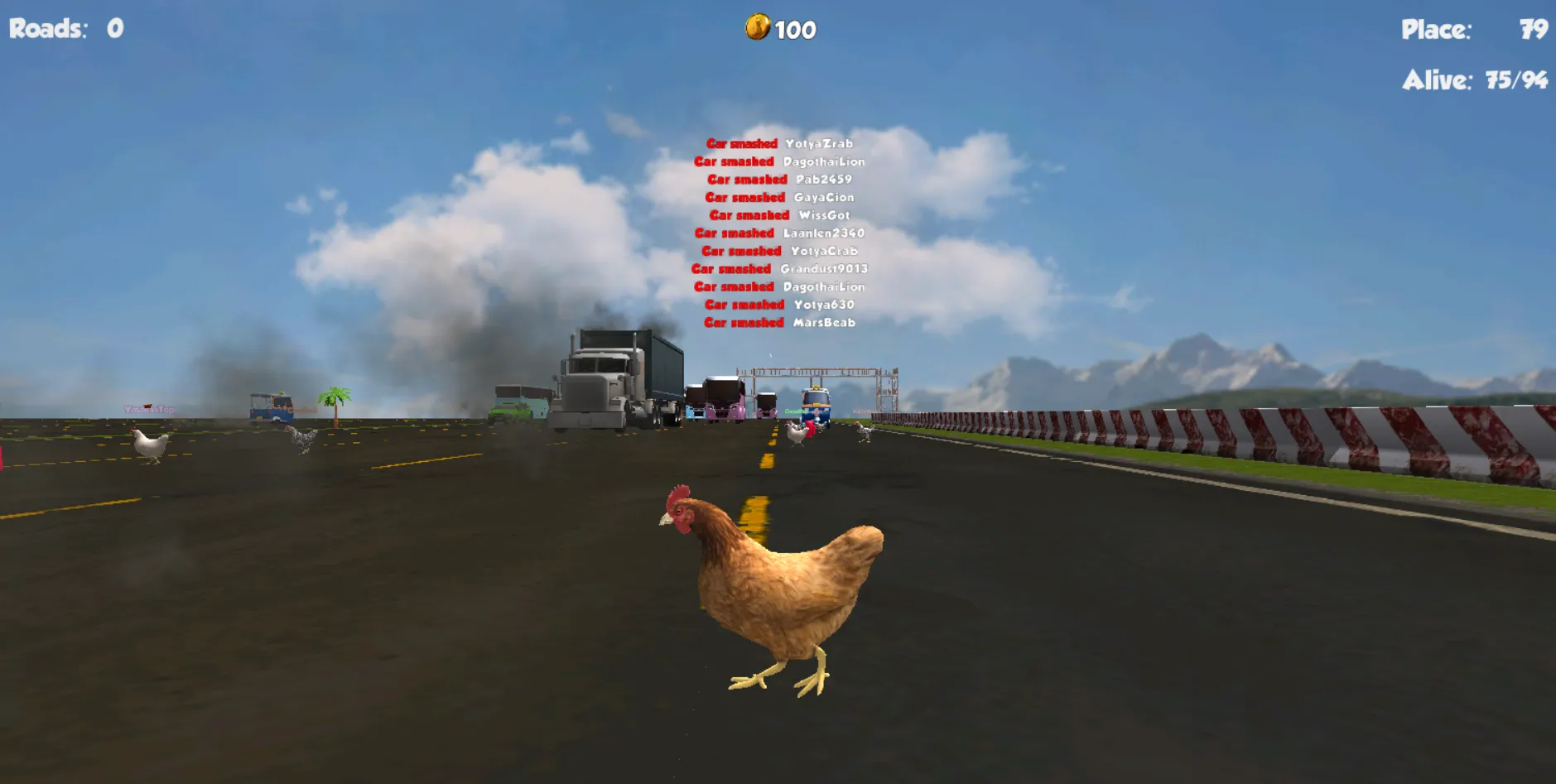
The Battle Royale mode shifts Chicken Royale from a solitary exercise into a collective confrontation. What was once a personal struggle against timing and traffic becomes a contest where dozens share the same fragile stage, each player attempting to outlast the others. The mechanics remain familiar—movement, hesitation, anticipation—but the presence of rivals transforms every decision into a comparative act.
In this environment, the Chicken Battle Royale game is not about casual repetition but about enduring the pressure of a shrinking crowd. Each eliminated participant alters the tempo, and each survivor is forced into sharper concentration. The light humour of chickens darting through hazards is never absent, yet it is repurposed into a visual mask for rules that are relentlessly strict.
The paradox of the Battle Royale Chicken game lies in this contrast: comical imagery housing a system that rewards patience, composure, and calculated risk. Success is never accidental; it emerges only from the refusal to surrender rhythm under pressure, making the mode less a variation and more a redefinition of what the game demands.
Pros and Cons of Chicken Royal
Chicken Royal is built on contrasts: a structure that invites amusement while demanding discipline, a design that feels deliberately slight yet curiously enduring. To see its form clearly, one must weigh its strengths against its unavoidable limitations. For players in the United Kingdom, this balance is often what decides whether the game becomes a brief diversion or a recurring ritual.
✅ Pros
 Rules so direct they can be grasped in moments.
A roster that extends beyond chickens, adding eccentric variety.
Availability across mobile, browser, and desktop.
Presence of competitive modes, including Battle Royale.
Presence of competitive modes, including Battle Royale.
❌ Cons
 Simplicity may drift into monotony during extended play.
Depth remains modest when compared with larger productions.
Touch controls can betray precision at the very moment it is needed.
The iOS version requires purchase, even if the fee is symbolic.
Visual austerity may strike some as charm, others as absence.
This mixture defines Chicken Royal UK: a game that never hides its sparseness but instead uses it as a framework for tension. Whether seen as a limitation or an intention depends less on the mechanics themselves than on the player’s tolerance for repetition and appetite for precision.
FAQ
How to Download Chicken Royal on Different Platforms?
Chicken Royal can be installed through the Google Play Store on Android, the App Store on iOS (paid, with a symbolic cost), or played directly via browser on PC.
Is Chicken Royal Available for Multiplayer Play?
Yes. Chicken Royal includes group and Battle Royale modes, allowing players to compete against others in real time.
Does Chicken Royal Require High Technical Specifications?
No. Chicken Royal is lightweight and runs smoothly on most modern devices, provided they meet basic requirements for storage, memory, and connectivity.
 download apk
